
Part 1 recap
In the previous article, I introduced Kyverno, a “cloud native” tool for managing compliance policies on Kubernetes.
To illustrate the tool’s capabilities, I used an example: preventing two Ingresses from using the same entry URL. I had done the same exercise with OPA in an earlier article (Open Policy Agent (OPA) and its Kubernetes counterpart, Gatekeeper) and compared the two syntaxes (Kyverno vs rego) at the end.
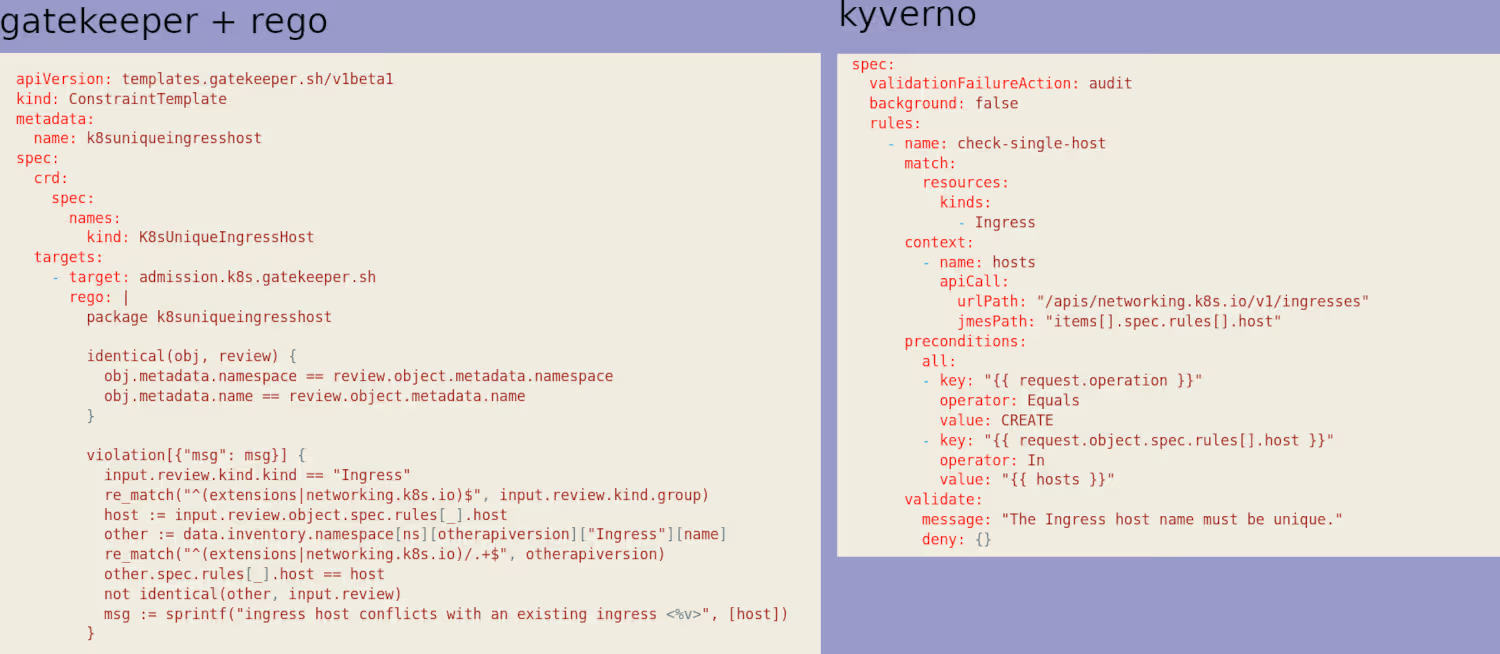
I have a clear preference for Kyverno’s syntax, even though OPA has been around longer and isn’t limited to Kubernetes (Kyverno is Kube-only).
Going a bit further
Beyond my example, I mentioned that Kyverno provides a very large number of pre-written policies (191 at the time of writing).
By default, most available policies are set to “audit” mode initially. Don’t forget to switch them to “enforce” mode once your cluster is mature enough.
Obviously, when you’re just getting started, you don’t really know where to begin. The simplest approach is to deploy the kyverno/kyverno-policies Helm chart, which contains the Kyverno equivalent of the “Pod Security Standards” (PSPs being officially deprecated since 1.21 I think, and no longer usable in 1.25).
helm install kyverno-policies kyverno/kyverno-policies -n kyverno
[...]
Thank you for installing kyverno-policies v2.5.2 😀

We have installed the "baseline" profile of Pod Security Standards and set them in audit mode.

Visit https://kyverno.io/policies/ to find more sample policies.
Here’s what was deployed (the last one was already there from the previous article):
kubectl get clusterpolicy
NAME                             BACKGROUND   ACTION    READY
disallow-capabilities            true         audit     true
disallow-host-namespaces         true         audit     true
disallow-host-path               true         audit     true
disallow-host-ports              true         audit     true
disallow-host-process            true         audit     true
disallow-privileged-containers   true         audit     true
disallow-proc-mount              true         audit     true
disallow-selinux                 true         audit     true
restrict-apparmor-profiles       true         audit     true
restrict-seccomp                 true         audit     true
restrict-sysctls                 true         audit     true
unique-ingress-host              false        enforce   true
With that, we already have plenty to work with to educate our users (developers) on producing secure Kubernetes deployments.
User experience
One of the annoying things about both tools is that out of the box, they’re not very user friendly. Personally, running a kubectl get events command (or kubectl get events --field-selector=reason=PolicyViolation in Kyverno’s case) to figure out why a deployment failed doesn’t bother me much (I almost enjoy it).
But for some people, it’s a bit off-putting, and I can understand that.
My goal is to make infrastructure simpler for people whose job it isn’t, and imposing my way of working isn’t necessarily the best approach.
Often, to help adopt a new tool or practice, the simplest thing is to provide a graphical interface.
And it turns out Kyverno has a tool for that.
Kyverno policy reporter
In reality, the tool wasn’t originally designed for that exact purpose. But you’ll see it’s actually even better.
Historically, it’s called policy reporter because the developers needed a tool to easily and quickly export the PolicyReports I mentioned in the previous article:
kubectl describe policyreport polr-ns-default
Name:         polr-ns-default
Namespace:    default
Labels:       managed-by=kyverno
Annotations:  <none>
API Version:  wgpolicyk8s.io/v1alpha2
Kind:         PolicyReport
[...]
Results:
  Category:  Sample
  Message:   The Ingress host name must be unique.
  Policy:    unique-ingress-host
  Resources:
    API Version:  networking.k8s.io/v1
    Kind:         Ingress
    Name:         ingress2
[...]
Summary:
  Error:  0
  Fail:   2
  Pass:   0
  Skip:   2
  Warn:   0
The policy reporter’s role is to export PolicyReports to several external sources for easier processing:
- Grafana Loki
- Elasticsearch
- Slack
- Discord
- MS Teams
- Policy Reporter UI
- S3
I’ll cover 2 of them: Slack and Policy Reporter UI
Policy Reporter UI
I’ll start with the UI since it’s the simplest to set up. You just need to deploy the Policy Reporter Helm chart, making sure to specify that you want the UI:
helm repo add policy-reporter https://kyverno.github.io/policy-reporter
helm repo update
helm install -n kyverno policy-reporter policy-reporter/policy-reporter --set kyvernoPlugin.enabled=true --set ui.enabled=true --set ui.plugins.kyverno=true
kubectl -n kyverno get pods
NAME                                              READY   STATUS    RESTARTS      AGE
kyverno-5f8bfd6fc5-xp6bm                          1/1     Running   1 (59m ago)   33d
policy-reporter-74cc9bf4b9-9ggwh                  1/1     Running   0             18s
policy-reporter-kyverno-plugin-6b48c4bc5f-5rwfb   1/1     Running   0             18s
policy-reporter-ui-5c9449d58-f9fwf                1/1     Running   0             18s
We could obviously add an Ingress, but if you’re lazy like me during this demo, a simple port-forward will do.
kubectl port-forward service/policy-reporter-ui 8082:8080 -n kyverno
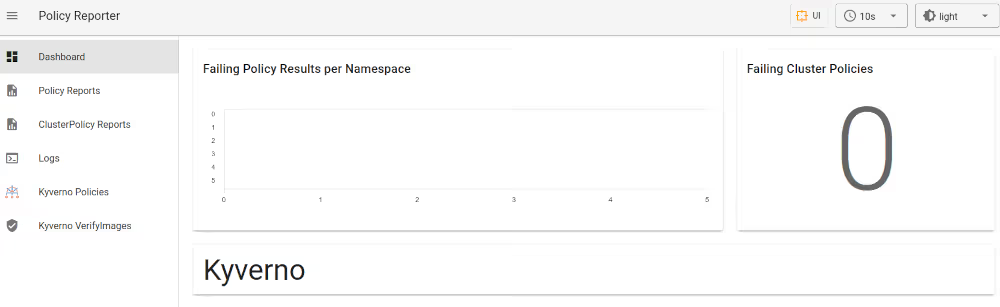
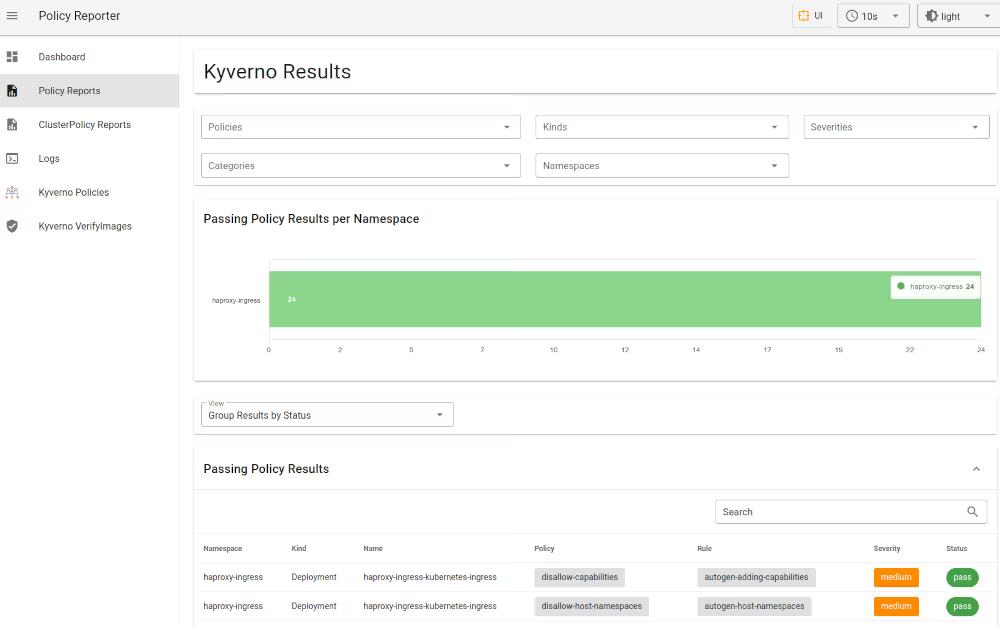
The UI itself is fairly intuitive. It includes notably:
- a Dashboard with a big global indicator showing how many policy violations you have
- a page with your “policy reports”, filterable by namespace or policy
- the list of your policies
- …
Slack
You can immediately see the value of alerting administrators in Slack (or Teams…) when a policy violation occurs.
The configuration is fairly trivial — you just need to add a webhook in Slack and a small piece of configuration in Kyverno:
kyvernoPlugin:
  enabled: true
ui:
  enabled: true
  plugins:
    kyverno: true
target:
  slack:
    webhook: "https://hooks.slack.com/services/T0xxxxxxxx"
    minimumPriority: "medium"
    skipExistingOnStartup: true
    sources:
    - kyverno
And we re-apply all this to our Helm release:
helm upgrade -n kyverno policy-reporter policy-reporter/policy-reporter -f kyverno-values.yaml
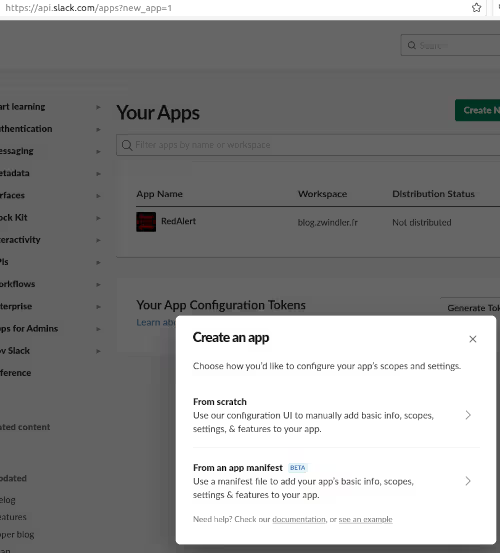
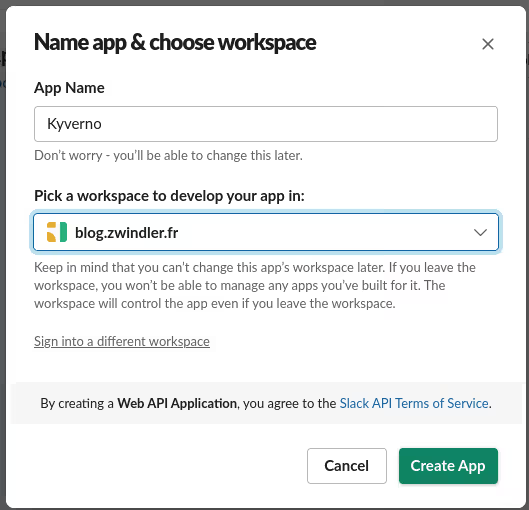
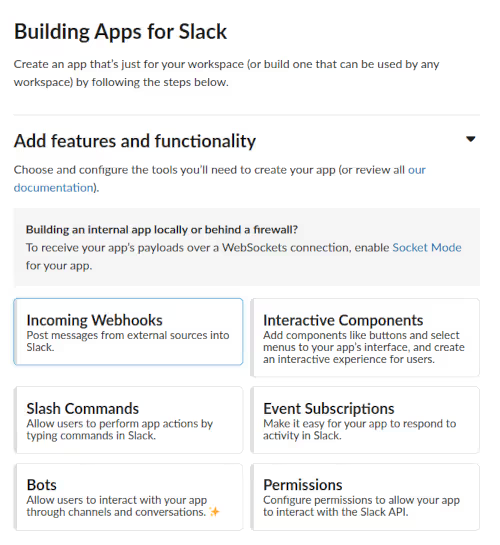
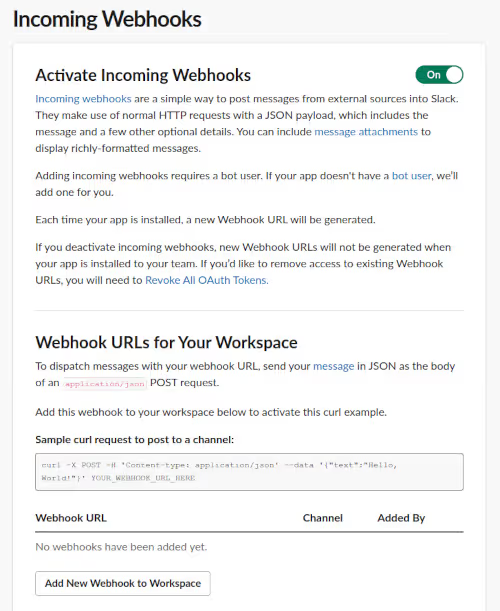
Note: If you don’t know how to do this, you need to be admin of the Slack workspace, create an application at https://api.slack.com/apps, enable Incoming Webhooks, and create one with permissions on a channel.
How about we trigger a policy violation, just to see?
To keep it simple, I went back to the example from the previous article. I switch my unique-ingress-host policy back to audit mode and recreate the problematic ingress:
kubectl edit clusterpolicy unique-ingress-host
kubectl apply -f ingress2.yaml
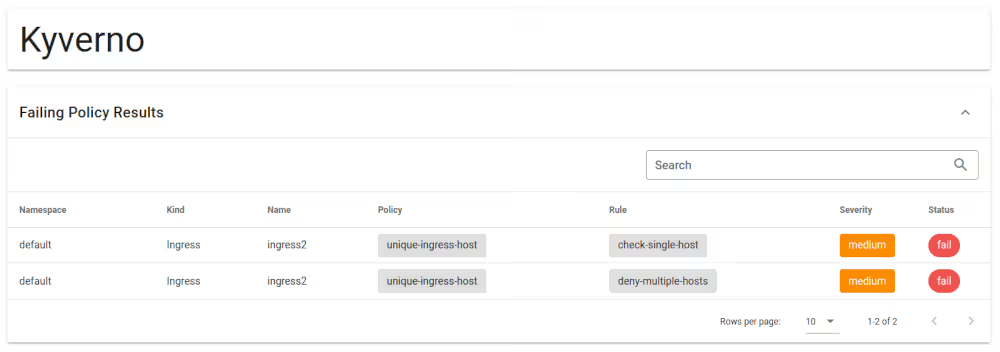
Instantly, 2 failures show up in the Kyverno UI, along with messages in Slack:
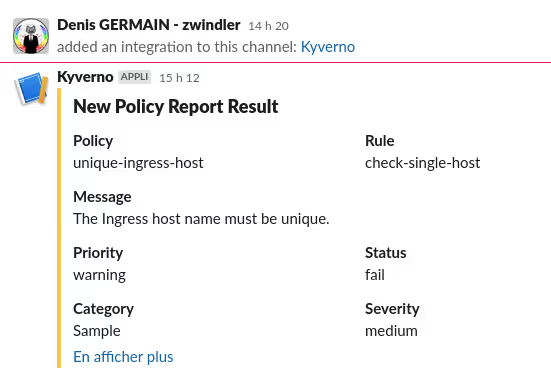
Victory :)