
Weren’t You Writing a Book on Kubernetes?
Yes! And I have good news: my book “Kubernetes: 50 solutions for development workstations and production clusters”, published by Eyrolles, will be released on October 16, 2025! You can follow the project’s progress on 50ndk.zwindler.fr. I’ll make a proper announcement when I have the final cover to show you :3.
While waiting for the release, I’m “freeing” another chapter that was abandoned during the final selection of the book: the one on k8e (Kubernetes Easy Engine). If you follow the blog closely, you might remember that I did the same for k8s-tew (K8S: the easier way), which also didn’t make it into the list of 50 methods that have their place in my book :-P.
But Let’s Get Back to k8e!
k8e is a wrapper for k3s that makes it easy to install a multi-node cluster with Cilium configured as CNI and in kube-proxy replacement mode. In philosophy, it’s really not much more than k3s with a big preflight check. We’re not even at the functional level of a k3sup or a k0ctl…
The developers highlight several key features:
✅ Key Features
- Supports airgap images package for k8s components
- 10-year valid certificate, supports cluster backup and upgrade
- No dependency on Ansible, HAProxy, or Keepalived; a binary tool with zero dependencies
- Natively supports Cilium network
- No kube-proxy component
The project presents itself as a simplified alternative to deploy k3s with Cilium directly integrated, which avoids manual post-installation configuration steps. I actually wrote an article at the end of 2023 about these famous manual operations, still available here: k3s and cilium quick and easy
Prerequisites
Since k8e is based on k3s, the prerequisites are generally the same as for k3s. However, there’s an important additional requirement: Cilium using eBPF for its low-level features, you need a relatively recent Linux kernel.
Well, that’s what we used to say for the early versions of cilium. Now Linux kernel >= 4.19.57 is a very old kernel!
For my tests, I used 4 virtual machines in the same LAN:
- k8e1 (control plane, 192.168.1.11)
- k8e2 (control plane, 192.168.1.12)
- k8e3 (control plane, 192.168.1.13)
- k8e4 (worker, 192.168.1.14)
The installation requires SSH access with sudo/root privileges on all nodes.
Installing the First Node
The Getting started is a bit rough because you land on a simplified Chinese page by default…
Installing k8e is done via a bash script, like many CNCF tools (RIP security). For the first node (which will be our first control plane node), we use the following command:
denis@k8e1:~$ curl -sfL https://getk8e-site.pages.dev/install.sh | API_SERVER_IP=192.168.1.11 K8E_TOKEN=superSecureToken INSTALL_K8E_EXEC="server --cluster-init" sh -
The script performs several preflight checks to ensure the environment is compatible. This is notably where it checks the Linux kernel version for eBPF compatibility.
[2025-09-19 12:28:45] [WARN]  System memory is less than 4GB. This may affect performance.
Finding latest version from GitHub
v1.31.2+k8e1
Downloading package https://github.com/xiaods/k8e/releases/download/v1.31.2+k8e1/k8e as /home/denis/k8e
...
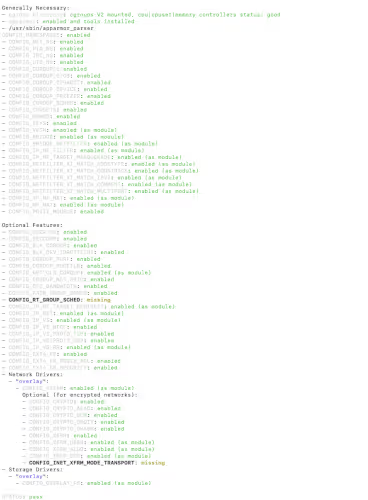
At the end of the process, we get a confirmation message:
[...]
[2025-09-19 12:35:33] [INFO]  systemd: Starting k8e
[2025-09-19 12:35:41] [INFO]  Installing cilium network cni/operator
ℹ️  Using Cilium version 1.15.6
🔮 Auto-detected cluster name: default
🔮 Auto-detected kube-proxy has not been installed
ℹ️  Cilium will fully replace all functionalities of kube-proxy
[2025-09-19 12:35:42] [INFO]  Installation completed successfully
[2025-09-19 12:35:42] [INFO]  Performing cleanup...
Point that has been improved since the last time I tested, k8e copies the kubeconfig itself, there’s no longer a need to get it from /etc/k8e/k8e.yaml (same as k3s, it’s traditionally in /etc/rancher/k3s/k3s.yaml)
denis@k8e1:~$ kubectl get nodes
NAME   STATUS   ROLES                       AGE   VERSION
k8e1   Ready    control-plane,etcd,master   62m   v1.31.2+k8e1
However, a quick look shows “how” k8e does it:
denis@k8e1:~$ env
...
KUBECONFIG=/etc/k8e/k8e.yaml

denis@k8e1:~$ ls -l /etc/k8e/k8e.yaml
-rw-r--r-- 1 root root 2961 Sep 19 12:35 /etc/k8e/k8e.yaml
And I’m sorry, but this is:

The cluster-admin kubeconfig bare at 644, that’s a NO. The k8e doc is even worse, it recommends 666 (always more).
Adding Additional Nodes
Once the first node is installed, we can add other control plane members. For additional control plane nodes:
denis@k8e2:~$ curl -sfL https://getk8e-site.pages.dev/install.sh | K8E_TOKEN=superSecureToken K8E_URL=https://192.168.1.11:6443 INSTALL_K8E_EXEC="server" sh -s -

denis@k8e3:~$ curl -sfL https://getk8e.com/install.sh | K8E_TOKEN=superSecureToken K8E_URL=https://192.168.1.11:6443 INSTALL_K8E_EXEC="server" sh -s -
And for the worker node:
denis@k8e4:~$ curl -sfL https://getk8e-site.pages.dev/install.sh | K8E_TOKEN=superSecureToken K8E_URL=https://192.168.1.11:6443 sh -
We can then verify that all nodes are present:
denis@k8e1:~$ kubectl get nodes
NAME   STATUS   ROLES                       AGE     VERSION
k8e1   Ready    control-plane,etcd,master   72m     v1.31.2+k8e1
k8e2   Ready    control-plane,etcd,master   2m30s   v1.31.2+k8e1
k8e3   Ready    control-plane,etcd,master   2m18s   v1.31.2+k8e1
k8e4   Ready    <none>                      75s     v1.31.2+k8e1
Verifying Cilium
One of k8e’s particularities is the native integration of Cilium. We can verify that Cilium is working correctly by using its CLI directly on one of the control plane nodes (installed by default):
denis@k8e1:~$ cilium status
    /¯¯\
 /¯¯\__/¯¯\    Cilium:             OK
 \__/¯¯\__/    Operator:           OK
 /¯¯\__/¯¯\    Envoy DaemonSet:    disabled (using embedded mode)
 \__/¯¯\__/    Hubble Relay:       disabled
    \__/       ClusterMesh:        disabled

DaemonSet              cilium             Desired: 4, Ready: 4/4, Available: 4/4
Deployment             cilium-operator    Desired: 1, Ready: 1/1, Available: 1/1
Containers:            cilium             Running: 4
                       cilium-operator    Running: 1
Cluster Pods:          3/3 managed by Cilium
Helm chart version:    1.15.6
Image versions         cilium             quay.io/cilium/cilium:v1.15.6: 4
                       cilium-operator    quay.io/cilium/operator-generic:v1.15.6: 1
Pros and Cons
| Pros | Cons |
|---|---|
| ➕ Automated installation of Cilium on k3s | ➖ Permissions /etc/k8e/k8e.yaml in “world readable” in official doc (dangerous!) |
| ➖ Kubernetes version behind the latest versions | |
| ➖ Doesn’t add much value compared to k3s alone | |
| ➖ Limited documentation compared to more mature projects |
Conclusion
On the positive side, the project, while not popular, is still fairly followed with quite a few external contributions and “life” (regular commits). k8e is a tool for lazy people who want to install a k3s cluster with Cilium faster (yes that’s a positive point).
But, at what cost?
- A kubeconfig at 644, readable by all unix users on control planes
- A
curl | bashinstallation (exactly likek3s, except that I trust Rancher labs more than xiaods) - Dated versions (kube 1.31, cilium 1.15)
No need for me to tell you what I think, I think you’ve understood.