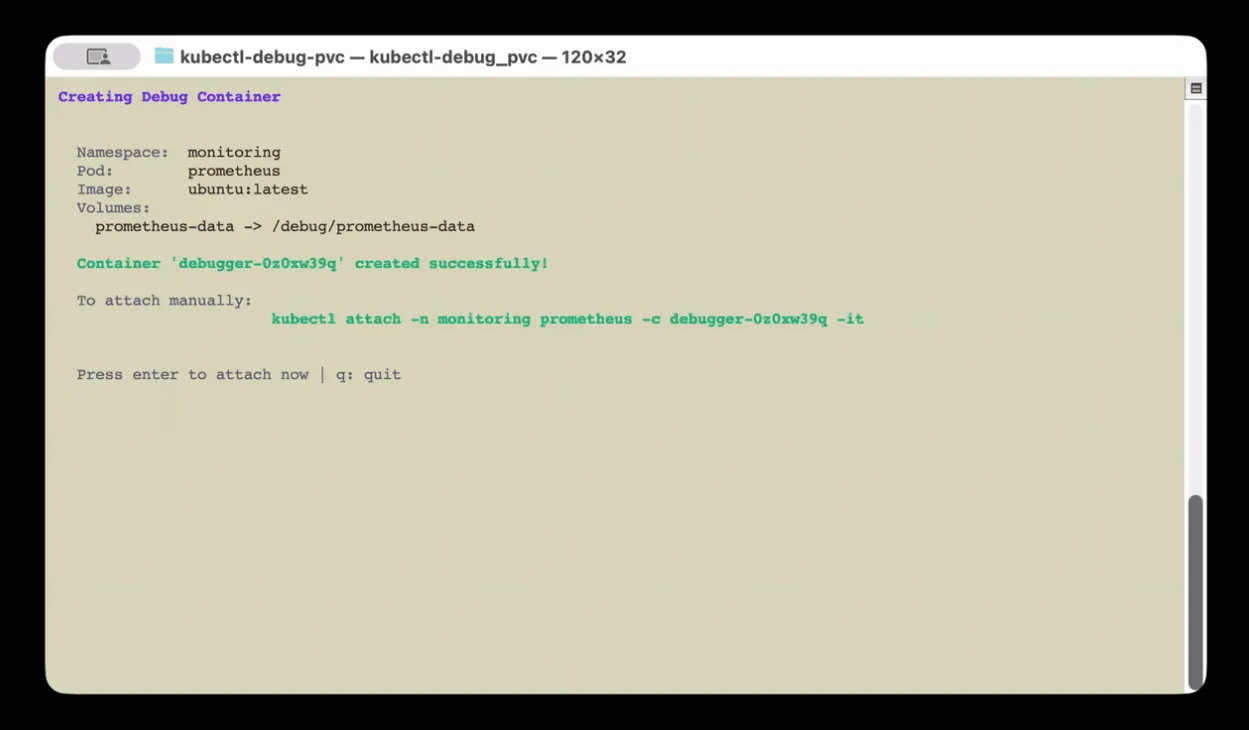
Previously, on “GenAI and dev”
In my previous article, I talked about my experience with PodSweeper, a project developed with OpenCode and Claude Opus. The outcome was mixed: impressive raw speed, but race conditions, lax error handling, and a constant need for human supervision (among other disappointments).
Today, I’m talking about a second project, much simpler, born from a real production need. And the takeaway is quite different.
The incident that started it all
You may know this situation: a pod in production, running fine, using a PVC in ReadWriteOnce. You need to look at the contents of that volume. Production best practice: the pod in question has no shell (we reduce the attack surface). No /bin/sh, no /bin/bash, nothing.
No big deal, we have kubectl debug for that, right?
Ok, let’s create an ephemeral container in the pod and… oh wait. kubectl debug doesn’t allow mounting the pod’s volumes in the ephemeral container. It simply doesn’t expose the volumeMounts option for ephemeral containers.
We could kill the pod, which would allow mounting the RWO PVC in another pod with a shell, but we don’t want to — it’s production.
My colleague Maxime (him again!) suggested a workaround. The manual procedure is:
- Create an ephemeral container on the pod with
kubectl debug - Manually build a JSON patch to add
volumeMountsto the ephemeral container we just created - In another terminal, connect directly to the kube API with
kubectl proxy - Apply the patch via a curl to the Kubernetes API
- Wait for the container to be ready, attach to the container
- Wonder if there’s an easier career than patching containers with curl
For those who think this is doable, “check out this patch” as the kids say:
curl http://localhost:8001/api/v1/namespaces/<namespace>/pods/<pod>/ephemeralcontainers \
  -X PATCH \
  -H 'Content-Type: application/strategic-merge-patch+json' \
  -d '{
    "spec": {
      "ephemeralContainers": [
        {
          "name": "debugger",
          "image": "ubuntu",
          "command": ["/bin/sh"],
          "targetContainerName": "<target-container>",
          "stdin": true,
          "tty": true,
          "volumeMounts": [
            {
              "name": "<volume-name>",
              "mountPath": "/debug/<volume-name>"
            }
          ]
        }
      ]
    }
  }'
If you think this is error prone, you’re right. And if you think it’s painful to do under pressure during a production incident, you’re even more right.
Side note
The more seasoned among you with recent Kubernetes versions may have heard about KEP-2590, which introduces a (relatively) new --subresource flag for kubectl. Indeed, ephemeral containers created by kubectl debug are not resources (a pod, a deployment, …) but subresources.
Until version 1.33, it was literally impossible to perform operations on subresources with kubectl, only resources.
Kubernetes v1.33: Octarine brings support for the –subresource flag, but only for 3 subresources for now: status, scale and resize
- https://kubernetes.io/blog/2025/04/23/kubernetes-v1-33-release/#subresource-support-in-kubectl
- https://kubernetes.io/docs/reference/kubectl/conventions/#subresources
No solution on that front either…
The meeting prompt
I had this idea in mind since the incident. Monday morning, at the start of a meeting (while people were still making jokes), I launched OpenCode with Claude Opus and typed a prompt describing:
- The problem:
kubectl debugdoesn’t mount PVC volumes if they’re RWO - The manual procedure I was doing by hand (the painful steps described above)
- What I wanted: a tool that automates all of that
OpenCode + Opus asked me 2 questions (and I added one instruction):
- “Which language?” → Go (I insist)
- “CLI only or TUI?” → Both (non-interactive mode for scripting, TUI for daily use)
- And I asked it to always run the
golangci-lintlinter every time it considers being done (trauma from my previous test with OpenCode)
It went on its own with the idea of a TUI using Bubble Tea. Then I stopped watching and followed my meeting.
~30 minutes later, end of the meeting, I looked at the result. The POC was functional.
What Opus produced in 30 minutes
Without any intervention on my part, the LLM scaffolded a complete Go project:
- Clean structure:
cmd/for the Cobra CLI,pkg/k8s/for all Kubernetes interaction,pkg/tui/for the Bubble Tea TUI - The core of the matter: a direct call to the Kubernetes API to patch the
ephemeralcontainerssubresource of the pod with a strategic merge patch including thevolumeMounts - Non-interactive mode:
-n namespace -p pod -v volume:/mount/path, ready for scripting - Complete TUI: vim-style navigation (
j/k), fuzzy filtering (/), multi-selection of volumes, loading spinner… - Makefile with a whole bunch of targets (vet, lint, test, build, install)
What I asked it to add:
- Smart discovery: instead of scanning all pods in all namespaces (slow on one of my large clusters), the tool first lists PVCs cluster-wide (a single API call) to identify relevant namespaces, THEN the pods in the selected namespace. This drastically reduces the number of calls to the kube API server and the TUI only shows namespaces and pods that have PVC volumes
- SecurityContext inheritance: the ephemeral container copies the
securityContextfrom the target container, allowing it to pass PodSecurity policies (restricted,baseline…). This was a case I hadn’t anticipated in my initial prompt and it immediately failed on a properly configured cluster.
Without these small improvements the tool was already usable (except when you have SecurityContext configured), but it’s much more comfortable in practice (because yes, I do use it).
The code for the core mechanism (the API patch) is a few hundred lines of clean Go. It retrieves the pod, builds the JSON patch with the ephemeral container and its volumeMounts, applies it via Patch() on the subresource, waits for the container to be Running, then launches kubectl attach. Nothing fancy, it’s just what’s needed, done right the first time.
	ephemeralContainer := corev1.EphemeralContainer{
		EphemeralContainerCommon: corev1.EphemeralContainerCommon{
			Name:            containerName,
			Image:           opts.Image,
			Command:         []string{"/bin/sh"},
			Stdin:           true,
			TTY:             true,
			VolumeMounts:    mounts,
			SecurityContext: targetSecurityContext,
		},
		TargetContainerName: targetContainer,
	}
...
	_, err = c.Clientset.CoreV1().Pods(opts.Namespace).Patch(
		ctx,
		opts.PodName,
		types.StrategicMergePatchType,
		patchBytes,
		metav1.PatchOptions{},
		"ephemeralcontainers",
	)
The following iterations (~30 minutes)
Once the POC was validated, I chained a few targeted prompts. I asked it what could be improved. It suggested (and implemented):
- A few minor code fixes it had gotten wrong (but non-blocking)
- Warnings: if the inherited SecurityContext has
readOnlyRootFilesystem,runAsNonRoot, or other security measures, the tool warns the user before attach - Added a complete CI based on
goreleaserand GitHub Actions - Added documentation
The cherry on top: publishing on Krew
Once I had a clean version, I asked Opus how to make the plugin easier to install. It suggested brew, or Krew, the kubectl plugin manager.
I asked if the plugin acceptance process was complex. It said no, I said “I dare you!”.
It completed the entire process:
- Created a fork of krew-index
- Wrote the Krew manifest (the
.yamlfile describing the plugin) - Took into account all the best practices requested by krew-index maintainers (download URL format, short descriptions, SHA256 checksums, etc.)
- Prepared the PR, directly on krew-index
I just watched. The PR was merged 12 hours later by the maintainers.
Result: kubectl krew install debug-pvc works.
Minor failure — delegating the demo too
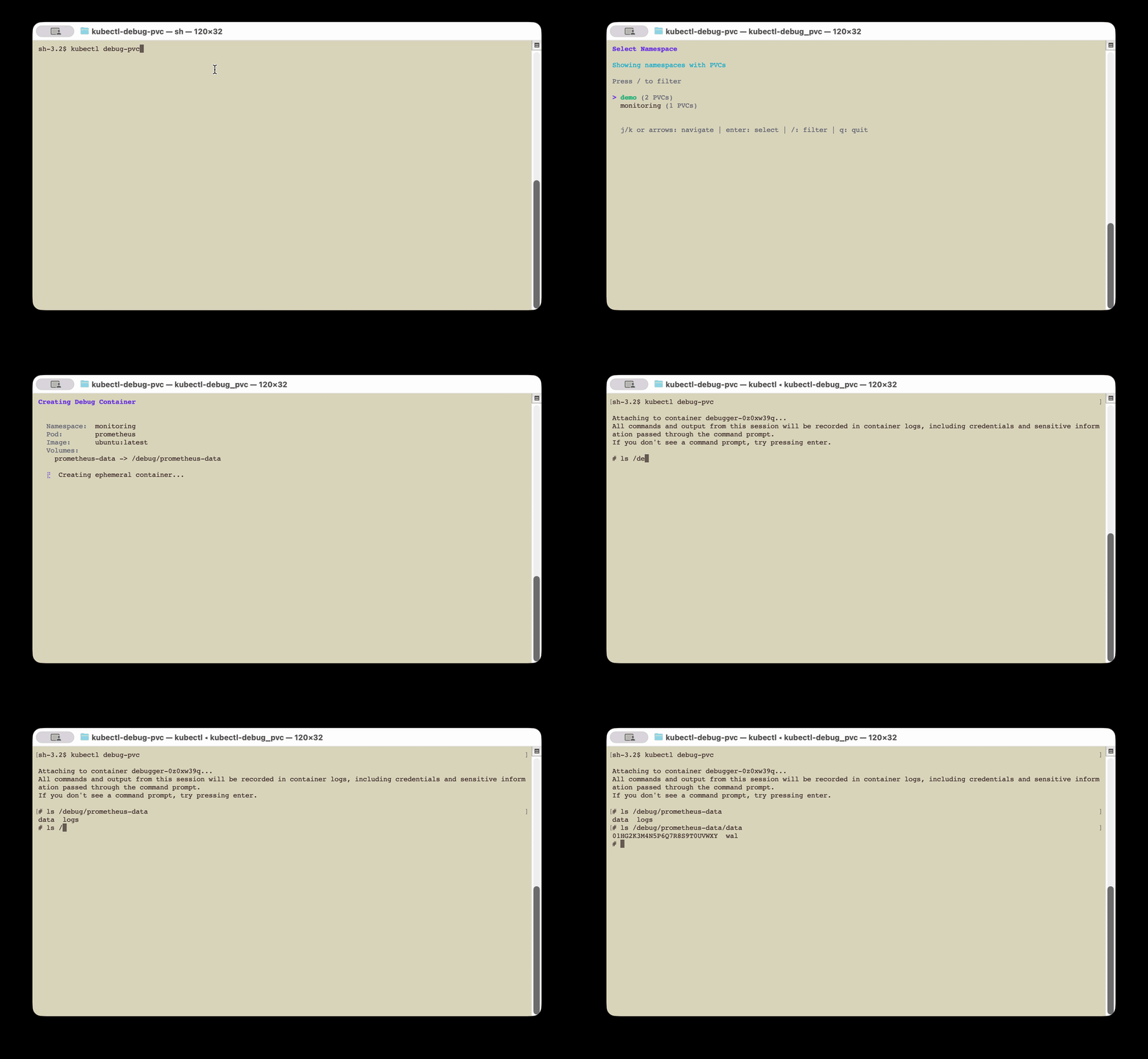
Emboldened by this success with the krew-index PR, I wondered if we could make a visual demo (a GIF to add to the project’s README.md showing how it works) with the LLM.
I asked if it could do it with asciinema and the LLM answered “yes” (yes, I chat with the LLM like I do with my colleagues). Deal, we tried.
The result was almost good, I could have settled for it if I weren’t such a nitpicker: it was a bit slow. I felt the LLM’s responsiveness in its actions was uneven, which made the viewing experience a bit unpleasant. I could have iterated until I got something correct, but I ultimately recorded a video myself, converted to GIF with ffmpeg. It was smoother and faster than iterating.
The difference with PodSweeper
The difference in experience between this project and PodSweeper is striking. Where PodSweeper was a constant fight (race conditions, LLM amnesia, out-of-spec features), kubectl-debug-pvc went smoothly without any notable hiccups.
Why? I think it comes down to the nature of the project:
- One single thing to do, clearly defined: patch a Kubernetes subresource with volumeMounts
- No concurrent logic: we make an API request, we wait, we attach
- A well-documented domain: the Kubernetes API, Cobra, Bubble Tea. The LLM knows all of this by heart
- No complex shared state: no goroutines stepping on each other, no graceful shutdown to manage, no multiple microservices
- Limited scope: the entire project fits in about fifteen files, CI and documentation included
This is probably the ideal playground for an LLM. A well-defined problem, a well-charted technical domain, a linear solution.
What do I think about it?
Objectively, this kind of “simple” project (one thing to do, easy to understand) works really well with OpenCode + Opus. I think it’s because of this kind of small project that the hype is so strong around agentic development. You have an idea you were too lazy to dev, you test it, it works. “WOW”.
But I don’t want to downplay the work done either. The fact that a functional, clean tool, published on Krew and usable by anyone could emerge from a prompt launched at the beginning of a meeting is still pretty wild.
A bit scary too, thinking that an insane number of micro tools are going to appear in the coming months, with probably uneven quality.
The project
The code is available here:
Installation:
# Via Krew (recommended)
kubectl krew install debug-pvc

# Interactive usage (TUI)
kubectl debug-pvc

# Non-interactive usage
kubectl debug-pvc -n my-namespace -p my-pod-0 -v data:/debug/data
If you’ve ever struggled to inspect a PVC on a pod without a shell, give it a try. And if you find bugs, you can blame the LLM 😄.